Managing a growing WordPress website often means repeating the same small tasks every day. You upload images, compress files, update image details, schedule posts, check for duplicate content, and clean files that may no longer be needed. Each task looks simple on its own, but together they can take a lot of time.
Fiz Auto Media brings these workflows into one WordPress plugin.
It is designed to help bloggers, content teams, website owners, and WordPress administrators manage media and publishing tasks from a single dashboard.
What Is Fiz Auto Media?
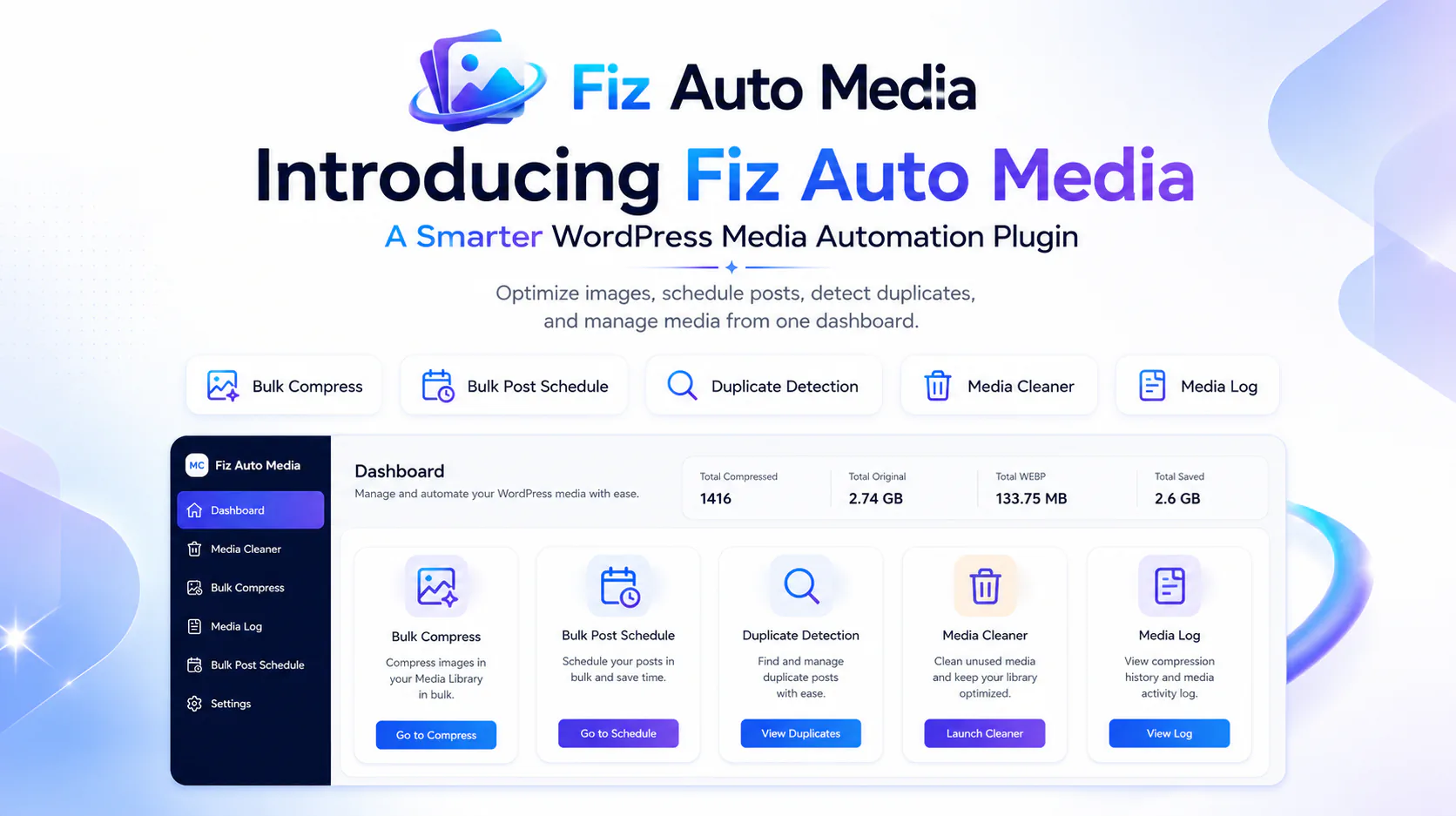
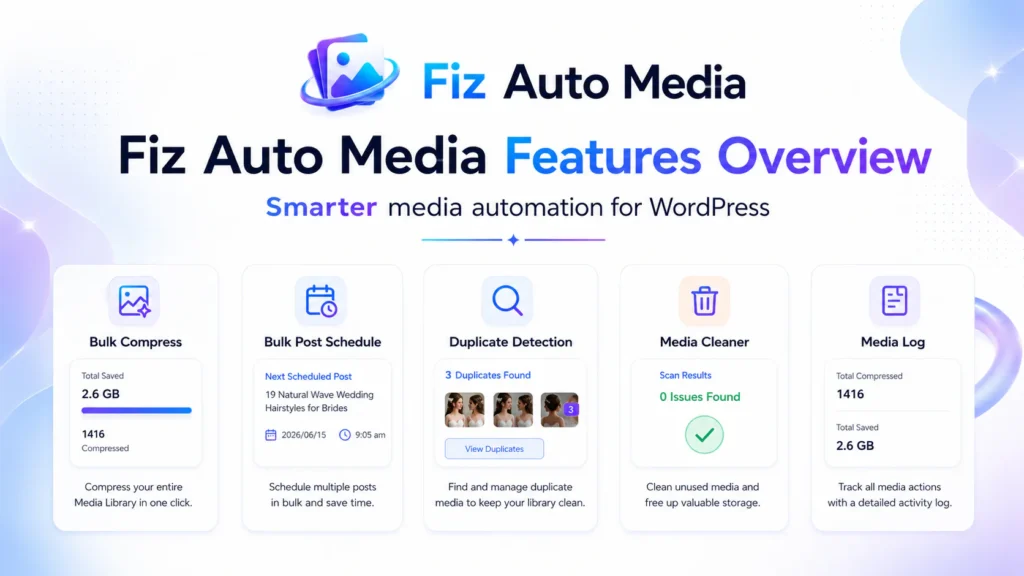
Fiz Auto Media is a WordPress media automation plugin that combines image optimization, content management tools like bulk post scheduling, a duplicate post detector, one-click redirects, and Media Library maintenance features.
Instead of installing a separate plugin for every small task, you can use Fiz Auto Media to manage several important workflows in one place.
Its main features include:
- Automatic image optimization
- Bulk compression for existing images
- Image optimization logs
- Image-detail automation
- Bulk post scheduling
- Duplicate-post detection
- Unused media scanning, viewing, and everything.
The goal is simple: reduce repetitive work and make everyday WordPress management easier.
1. Optimize New Images Automatically
Large images can increase page size and use unnecessary storage.
Fiz Auto Media can automatically optimize supported images when they are uploaded to the WordPress Media Library. This means publishers do not have to compress every file manually before adding it to a post.
Automatic optimization is especially useful for:
- Blogs publish content regularly
- WooCommerce stores with many product images
- News and magazine websites
- Multi-author websites
- Agencies managing client content
The process runs inside the normal WordPress workflow, so authors can continue uploading images in the usual way, but Fiz Auto Media will compress to WEBP automatically.
2. Bulk-Compress Existing Media Library Images
Automatic upload optimization helps with future files, but older images may still remain unoptimized.
The Bulk Compress tool allows administrators to process existing Media Library images from one screen.
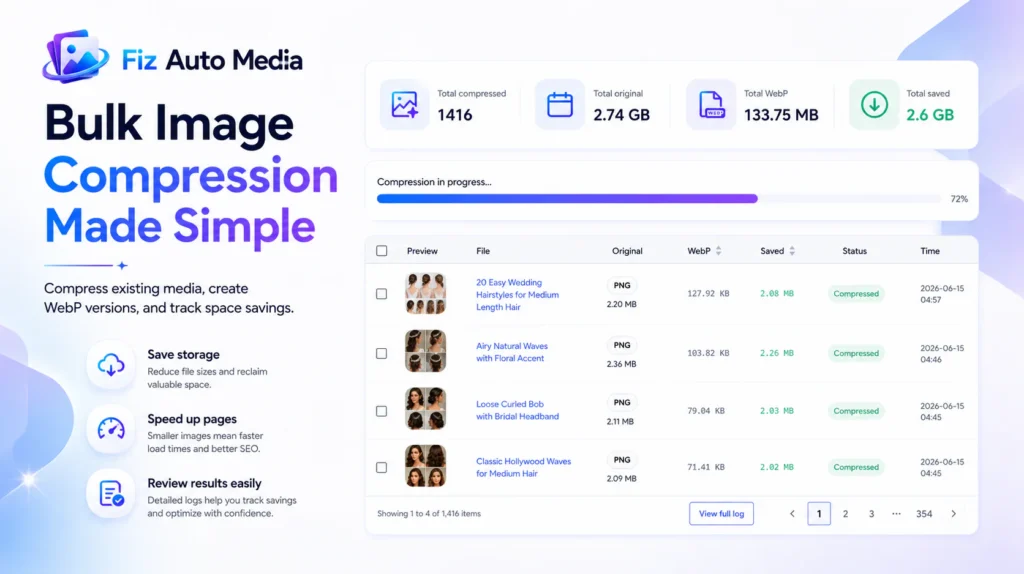
The dashboard shows useful totals such as:
- Number of compressed images
- Original file size
- Optimized WebP size
- Total space saved
A progress bar also makes it easier to follow the operation while images are being processed.
Before running a full bulk operation, create a backup of the website and test a few representative files.
3. Review Results in the Media Log
Optimization should be measurable.
The Fiz Auto Media Log records the results of processed images so administrators can review what happened.
The log can show:
- Image preview
- File name
- Original format and size
- WebP file size
- Space saved
- Processing time
This makes it easier to identify files that produced strong savings, files that need inspection, or images that may not have been processed as expected.
4. Improve Image Details More Efficiently
Uploading an image is only one part of managing WordPress media.
Images may also need a clear title, alt text, caption, or description. Missing or inconsistent details can make a large Media Library harder to manage.
Fiz Auto Media provides tools that help streamline image-detail workflows, reducing the need to open every attachment and edit its fields manually.
Image descriptions should still be reviewed by a person. Alt text must explain the image’s purpose on the page, which will be added automatically to image Alt text and descriptions.
5. Bulk Post Schedule from One Screen
Publishing content across several days can become slow when every post must be opened and scheduled individually.
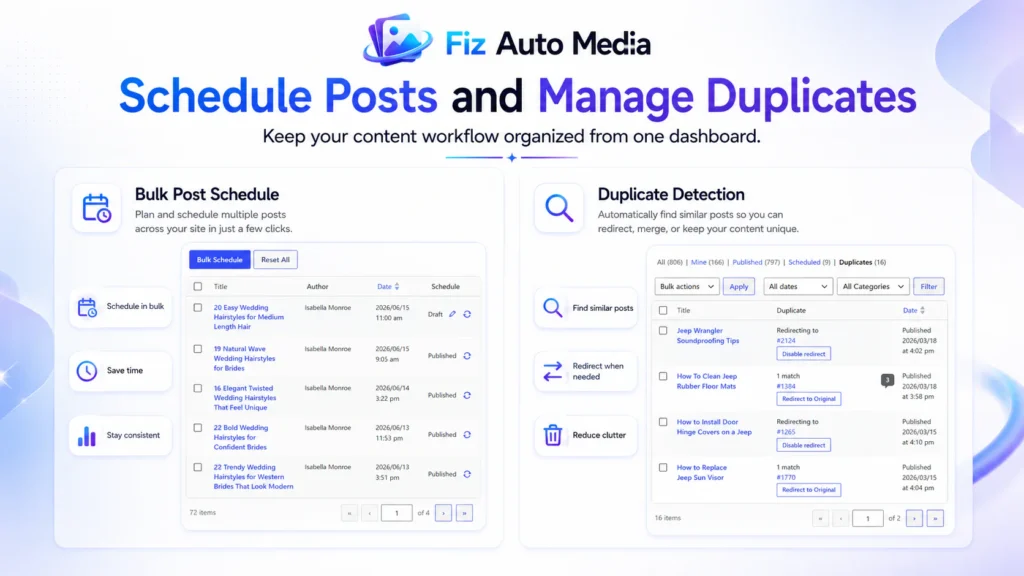
The Bulk Post Schedule screen gives administrators a central view of posts and their schedule status.
From this workflow, users can review:
- Select multiple posts
- set interval minute, hour, day, week, monthly
- or select random
- select date range and time range
- Lastly, process the bulk schedule
This can be helpful for editorial calendars, content campaigns, and websites that prepare many articles in advance, and the most benefits is that there will never be the common Missing Scheduling issue in WordPress posts.
6. Find and Manage Duplicate Posts
Duplicate or very similar posts can confuse editors and make a website harder to maintain.
Fiz Auto Media adds a duplicate-post review workflow to the WordPress Posts screen. Administrators can see possible matches and decide what to do with them.
Where appropriate, a duplicate post can be redirected to the original post. The redirect can also be disabled when the detected match is intentional.
The plugin does not replace editorial judgment. Every suggested duplicate should be reviewed before taking action.
7. Scan for Potentially Unused Media
WordPress websites often collect old images from deleted posts, replaced designs, imports, and previous campaigns.
The Media Cleaner scans the Media Library for files that are not referenced in the content it checks.
Results can be reviewed before files are removed. The workflow also includes options for ignored items, trash, recovery, and permanent deletion.
Unused-media detection cannot understand every custom theme, shortcode, external builder, or dynamic reference. Always keep a backup and review the scan results carefully before deleting files.
Why Use One Connected Workflow?
Using several plugins for related tasks can create a crowded dashboard and overlapping settings.
Fiz Auto Media places its media and publishing tools inside one consistent WordPress workflow.
This can help website managers:
- Spend less time switching between plugins
- Review image savings from one place
- Keep publishing tasks organized
- Find duplicate content more quickly
- Review unused files before cleanup
- Reduce repetitive Media Library work
You can use only the tools your website needs. There is no reason to run every feature at the same time.
Who Is Fiz Auto Media For?
Fiz Auto Media can be useful for:
- Bloggers with growing Media Libraries
- Content teams publishing many posts
- WooCommerce store managers
- WordPress agencies
- News and magazine websites
- Website owners cleaning an older media
- Administrators who prefer one connected dashboard
A very small website with only a few images and occasional posts may not need every feature. The plugin becomes more valuable as the amount of media and content grows.
How to Get Started
Fiz Auto Media is available through the official WordPress Plugin Directory.
To begin:
- Open Plugins → Add New in WordPress.
- Search for Fiz Auto Media.
- Install and activate the plugin.
- Review the available tools and settings.
- Back up the website before running bulk compression or media cleanup.
- Test each workflow with a small number of items first.
Start with the feature that solves your most immediate problem. For example, optimize existing images first, then review duplicate posts or scan unused media later.
Final Thoughts
Fiz Auto Media is built for a common WordPress problem: too many small media and publishing tasks spread across different screens and plugins.
It combines practical tools for image optimization, Media Library maintenance, duplicate-post review, and bulk scheduling in one dashboard.
The plugin is not designed to remove human review. Instead, it handles repetitive steps and gives administrators clearer information before they make a decision.
Install Fiz Auto Media from WordPress.org, test it on your website, and share your feedback as the plugin continues to improve.